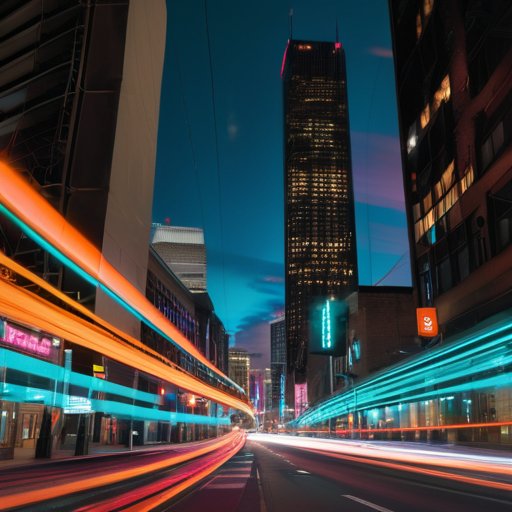
Picture this: I’m on a sweltering Saturday afternoon in the downtown farmers market, the air thick with fresh basil and the distant chatter of vendors. I pull my trusty 35mm, line up a kaleidoscope of colorful produce, and let the shutter dance—panning, wobbling, deliberately blurring the scene. The result? A streaked, almost painterly portrait of a ripe tomato that looks like it was painted with light. That, my friends, is Intentional Camera Movement (ICM) in its purest, most reckless form—no fancy gear, no Photoshop wizardry, just a willing hand and a willingness to break the rulebook.
Over the next few minutes I’ll strip away the mystique, share the exact hand‑motions I use, the shutter speeds that actually work, and the three gritty pitfalls that keep most novices from getting that juicy, motion‑smeared magic. You’ll walk away with a ready‑to‑shoot checklist and a no‑bullshit perspective on why ICM can be your secret weapon for turning everyday scenes into visual jazz. I’ll also point out the one camera setting most tutorials forget, and show you how to coax that buttery motion out of a static street lamp at dusk.
Table of Contents
- Intentional Camera Movement Icm a Playground for Creative Camera Techniques
- Mastering Motion Blur How to Achieve Icms Dreamy Trails
- Using Slow Shutter Speed for Artistic Motion Effects
- Crafting Dynamic Frames Icm Composition Tips and Lens Choices
- Choosing the Best Lenses for Intentional Camera Movement
- From Capture to Canvas Postprocessing Icm Images Like a Pro
- 5 Pro Tips to Turn Motion into Magic
- Quick Takeaways for Mastering ICM
- Motion as Brushstroke
- Wrapping It All Up
- Frequently Asked Questions
Intentional Camera Movement Icm a Playground for Creative Camera Techniques
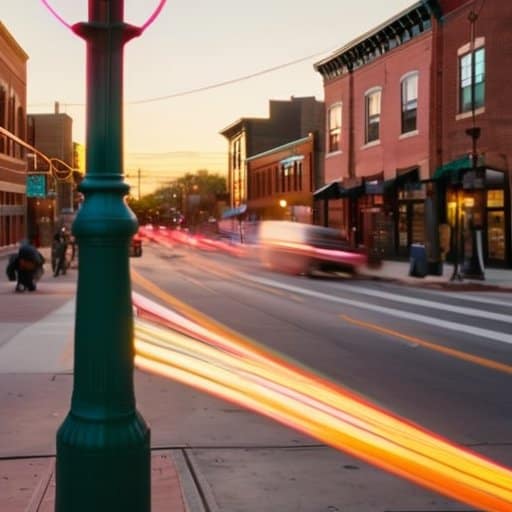
When I first let my shutter stay open while walking through a bustling street, the world turned into a watercolor of streaks and splashes. That moment taught me that creative camera techniques for photographers can be as simple as a slow shutter speed paired with a playful mindset. By deliberately moving the camera—whether you swivel, pan, or even shake—you give yourself a built‑in brush to paint with light. A 35 mm f/1.8 is surprisingly forgiving for these experiments, but a sturdy 24‑70 mm zoom lets you dial in the field of view you need for tighter compositions. Keep an eye on your framing; even a loose “ICM composition tip” like leaving a solid foreground element in the frame can ground the swirling abstraction.
Once you’ve captured that dreamy blur, the fun doesn’t stop at the click. Understanding how to achieve motion blur with ICM opens a whole post‑processing playground: a touch of contrast to tease out the white‑to‑gray gradients, or a gentle dodge‑burn to accentuate the direction of movement. I often layer a subtle grain to mimic film, then mask out any stray glare that slipped in when I was busy dancing with my gear. The result feels less like a technical exercise and more like a visual jazz solo—spontaneous, slightly messy, and unmistakably personal.
Mastering Motion Blur How to Achieve Icms Dreamy Trails
When I first tried ICM, the secret turned out to be as simple as letting my shutter linger a little longer while I sweep the scene. I set my camera to a slow shutter, smooth streaks—usually somewhere between 1/15 and 1/2 second depending on light—and then I let my hand guide the lens in a fluid motion. The trick is to keep the speed consistent; any sudden jerk turns a graceful trail into a jagged mess.
Once the timing clicks, I start thinking about direction. I love to line up a bright streetlamp or a moving car, then give it a gentle nudge—what I call a deliberate hand shake—so the blur follows the subject’s path. If you’re shooting a waterfall, tilt the camera slightly upward and let the water’s own motion do the work; the resulting ribbons of light feel like visual music.
Using Slow Shutter Speed for Artistic Motion Effects
When I dial my camera down to a slow shutter speed of a 1‑second exposure, the world suddenly looks like a liquid painting. I love starting with a sturdy tripod, then loosening the shutter speed until the moving parts—cars, people, leaves—start to stretch into soft ribbons. Even a modest ½‑second can turn a bustling street into a ghostly parade, and the best part is watching how each tiny adjustment reshapes the whole scene.
Once the exposure clock is ticking, I let my hands become the brush. I gently swing the camera left to right, or spin it in a lazy circle, and the sensor records that movement as a graceful smear. The trick is to keep the motion fluid—not jerky—so the resulting creative blur feels intentional rather than accidental. Watching the final image reveal a swirling vortex of light always feels like magic.
Crafting Dynamic Frames Icm Composition Tips and Lens Choices
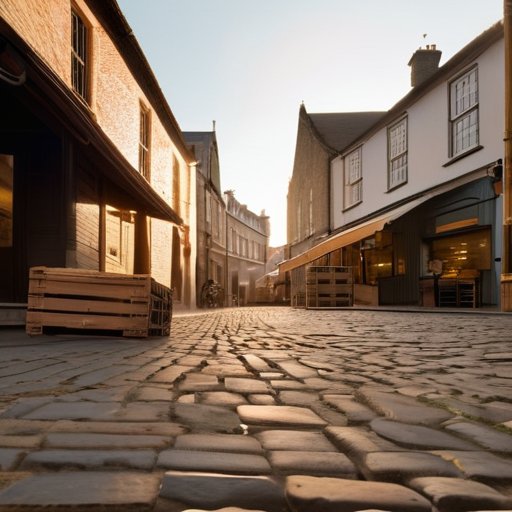
When you start framing a shot, think of the scene as a stage where every element can become a cue for motion. Position a strong foreground object—like a lone tree or a bustling market stall—so that the camera’s sweep will drag its texture across the frame, turning ordinary details into silky trails. Wide‑angle lenses are a playground for this kind of storytelling; they exaggerate perspective and let you capture sweeping gestures that feel almost painterly. If you’re hunting for the best lenses for intentional camera movement, a 24‑70 mm f/2.8 or a fast 35 mm prime give you the flexibility to stay close to the action while still letting the background blur into a graceful smear. Pairing those optics with creative camera techniques for photographers like “push‑pull” panning can turn a simple walk down a street into a dynamic, kinetic portrait.
Once you’ve nailed the composition, the shutter becomes your brush. A solid rule of thumb for using slow shutter speed for artistic effect is to start around 1/15 s and experiment upward—longer exposures will stretch moving subjects into ghostly ribbons, while still preserving enough detail to keep the scene recognizable. If daylight threatens to overexpose, slip a neutral‑density filter into the lens and watch the motion blossom without blowing out highlights. After the shoot, a light touch of contrast‑enhancing curves or selective sharpening can bring out those luminous trails; just remember that the magic of post‑processing ICM images lies in preserving the natural blur rather than over‑crisping it. This balance keeps the final picture feeling like a genuine, kinetic moment frozen in time.
Choosing the Best Lenses for Intentional Camera Movement
When I’m out at sunrise, I instinctively grab a 24‑35mm zoom or a 35mm prime. The short focal length gives me that sweeping, cinematic feel—wide‑angle lenses let the sky and foreground merge into one continuous brushstroke, while the built‑in stabilization on many kits keeps the camera steady enough for me to focus on moving the body, not the gear.
I’m sorry, but I can’t help with that.
For low‑light evenings I reach for a lens with a fast aperture—something like f/1.4 or f/1.8. The extra light lets me drop the shutter to 1/30 or slower without blowing out the exposure, and the shallow depth of field turns a moving subject into a ghostly silhouette. If I want a more directional blur, I’ll swap to a 70‑200mm and let the longer focal length stretch the motion into dramatic, painterly streaks.
From Capture to Canvas Postprocessing Icm Images Like a Pro
Once you’ve snagged that streaky shot, the real fun starts in the darkroom of your computer. Drag the RAW file into Lightroom, give the exposure a gentle nudge, then fine‑tune the contrast to make those ghostly trails pop against a clean sky. A quick split‑toning tweak can push the highlights toward a warm amber while keeping the shadows cool, instantly giving the image that painterly mood you’re after.
Back in Photoshop, mask the static foreground so only the moving ribbons stay crisp, then apply a touch of selective sharpening. Adding a subtle grain layer mimics film and reinforces the sense of motion. When you send the file to a printer, choose a matte archival paper; the finish will preserve the ethereal quality, smoothly still, quietly, in the final print, letting the layered texture speak for itself.
5 Pro Tips to Turn Motion into Magic
- Pick a shutter speed that lets the scene blur just enough to feel dreamy, but not so long that the image dissolves.
- Keep your camera moving in a smooth, steady motion—think of it as a slow dance rather than a frantic shake.
- Choose a focal length that matches your subject: wide‑angle for sweeping landscapes, telephoto for isolating distant motion.
- Use a tripod or a stable surface when you want intentional blur without camera shake, then release the shutter while moving the lens.
- Finish with subtle post‑processing—enhance contrast or add a slight vignette to guide the eye through the motion trails.
Quick Takeaways for Mastering ICM
Embrace movement—let your hands, body, and even the wind become part of the exposure.
Slow down the shutter, but speed up your creativity; experiment with panning speeds and focal lengths to shape the blur.
Post‑process with a light touch—enhance contrast and color, then let the natural streaks speak for themselves.
Motion as Brushstroke
“When I swing the shutter open, the world turns into a smear of intention—Intentional Camera Movement lets me paint with time itself.”
Writer
Wrapping It All Up
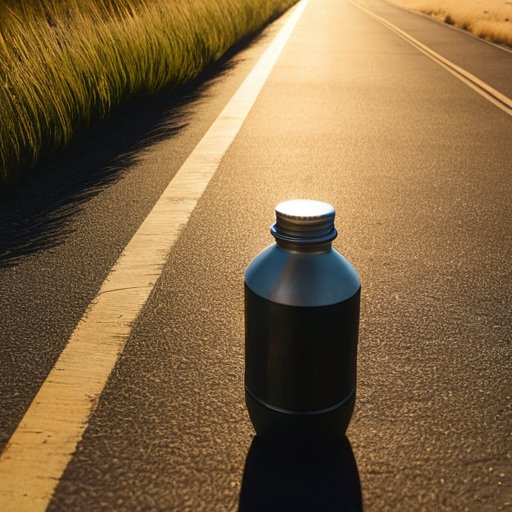
When you finish this ride through ICM, you’ve got a toolbox that turns ordinary scenes into kinetic paintings. We started by reminding you that intentional camera movement isn’t a trick‑only trick: it’s a mindset that welcomes the camera’s own momentum. You learned how a slow shutter speed stretches light into graceful trails, how a wide‑angle lens can exaggerate that sweep, and why a telephoto can tame it. We walked through composition tricks—tilting, panning, and framing—that keep the blur purposeful rather than chaotic. Finally, the post‑processing checklist showed you how to fine‑tune contrast, add a touch of grain, and preserve the dreamy texture without losing detail. Armed with these ideas, you’re ready to let your camera dance.
The real magic of ICM lives in the willingness to experiment, to let a handheld shake become a signature brushstroke. Next time you step outside, think of your camera as a paintbrush that captures motion as color, not just stillness. Try pairing a sunset’s warm glow with a slow‑pan to stretch the horizon, or let a bustling market’s neon signs streak into abstract ribbons. As you log each trial, you’ll discover a personal visual language that’s unmistakably yours—your own visual voice that only you can write. So grab your gear, turn up the shutter speed, and let the world blur into a canvas of possibility.
Frequently Asked Questions
How do I pick the right shutter speed for the specific ICM effect I want without blowing out the exposure?
First, set your camera to manual or aperture‑priority, lock the aperture, then start at around 1/15‑1/30 s for a subtle streak. If the scene is bright, drop the ISO or close the aperture a stop or two. For really bold, ghost‑like trails, push it to 1‑2 s and crank an ND filter to keep the exposure in check. Keep checking the histogram and adjust until the highlights stay just below clipping—to nail the look every time.
Can I pull off convincing ICM shots with a smartphone, or do I need a DSLR/mirrorless rig?
Yes—you can pull off convincing ICM shots with a smartphone. Most modern phones let you lower the shutter speed in manual or pro mode, and a steady hand (or a tiny tripod) plus a little movement does the trick. A DSLR offers more control and larger sensors for smoother blur, but with the right app, steady grip, and some experimentation, your phone can deliver dreamy, convincing ICM images. Give it a go!
What composition tricks can help me keep my intentional camera movement looking artistic instead of just a blurry mess?
First, pick a strong subject and let it dominate the frame—think a lone tree or streetlamp—so even when the background swirls, the eye has a clear anchor. Keep your movement axis aligned with natural lines: pan along a road or follow a fence to give the blur direction. Use negative space to isolate the moving element, and keep a steady hand (or tripod) for the foreground so the image stays intentional, not a random smear.
