I was clearing out my workbench the other day—mostly making room for some brass gears and springs for my latest automaton—when I found it: my three-year-old tablet, buried under a stack of vintage jazz LPs. It felt like a tiny, glass-and-silicon tombstone for a device that was perfectly functional just a moment ago. We’ve been conditioned to believe that the second a new chip comes out, our current hardware is essentially obsolete junk, but that’s a lie sold to us by companies that prioritize planned obsolescence over actual utility. I’m tired of the narrative that tells us we need the latest shiny slab just to stay relevant; instead, I want to show you how to keep an old tablet useful by reclaiming its purpose on your own terms.
If you find yourself diving down the rabbit hole of custom ROMs or trying to squeeze one last bit of life out of a legacy operating system, don’t feel like you have to figure it all out in a vacuum. Sometimes, the best way to troubleshoot a stubborn piece of hardware is to find a community that’s already broken it, fixed it, and documented the whole messy process. Whether you’re looking for specific hardware hacks or just want to talk to people in Toronto about the local maker scene and shared tech resources, tapping into a collective intelligence is always more efficient than banging your head against a dead screen. It turns a frustrating technical hurdle into a shared human experience, which is exactly how we should be approaching our gear in the first place.
Forget the generic “top 10 apps” lists that just try to turn your device into another distraction machine. I’m not interested in helping you scroll more; I’m interested in intentionality. I’m going to walk you through a few ways I’ve personally repurposed my aging tech—turning “dead” hardware into dedicated tools like smart home controllers or digital photo frames—so they serve your life rather than just cluttering your desk. This isn’t about squeezing every last drop of performance out of a dying battery; it’s about finding a second life for the tools we already own.
Speed Up Old Android Tablet for Intentional Use
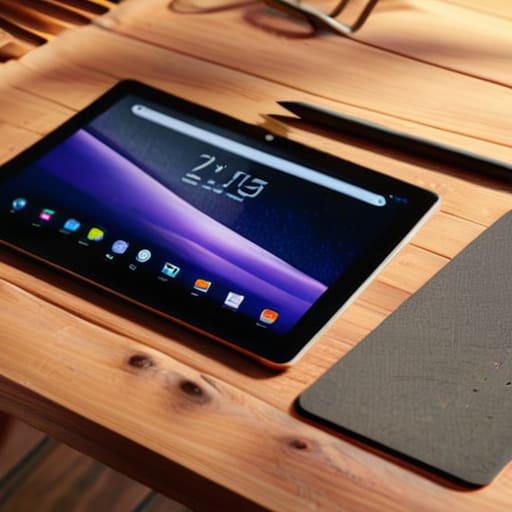
Let’s be honest: nothing kills the vibe of a creative project faster than a device that stutters every time you tap the screen. If you’re planning on speed up old android tablet performance to make it a functional tool rather than a paperweight, you have to stop treating it like a modern smartphone. The first step is a clean slate. I always recommend a thorough factory reset old tablet to clear out years of cached junk and background processes that are silently draining your CPU. It’s the digital equivalent of cleaning out a cluttered workshop; once the sawdust is gone, you can actually see the tools you have left.
Once you’ve wiped the slate, the real magic happens in what you don’t install. Modern apps are bloated, designed to hog RAM and keep you scrolling. To keep things snappy, stick to lightweight, single-purpose applications. If you’re looking into using old tablet as second monitor or setting it up as a dedicated dashboard, you want lean software that does one thing perfectly. By stripping away the digital noise, you transform a sluggish piece of e-waste into a focused, intentional instrument that actually respects your workflow.
The Minimalist Tablet E Reader Setup
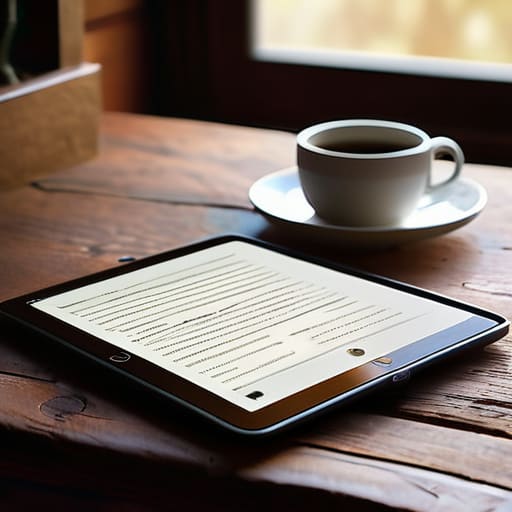
If you’re like me, you probably have a drawer full of devices that feel too slow for modern gaming or heavy multitasking, but are perfectly capable of one singular, beautiful task: reading. Instead of letting it become another source of digital distraction, I love the idea of a dedicated tablet e-reader setup. By stripping away the social media apps, email notifications, and the endless scroll of news feeds, you transform a chaotic communication tool into a focused sanctuary for literature. It’s a way to reclaim the device’s utility without letting it hijack your attention span.
To get this right, I recommend a clean slate. Perform a factory reset old tablet first to clear out the digital cobwebs and any lingering background processes that are eating up your precious RAM. Once it’s wiped, install only your essential reading apps—think Kindle, Libby, or even a dedicated PDF reader for technical manuals. When you remove the temptation to “just check one thing” on Chrome, you realize that one of the best uses for outdated tablets is providing a distraction-free window into other worlds, turning a piece of e-waste into your most reliable companion for a quiet afternoon.
Reclaiming the Hardware: 5 Ways to Give Your Tablet a New Mission
- Turn it into a Dedicated Smart Home Command Center. Instead of letting your phone juggle notifications while you’re trying to dim the lights, wall-mount that old tablet. Strip it down to just your smart home dashboard—think Home Assistant or Google Home—and let it serve as a singular, tactile interface for your space. It stops being a distraction and starts being a tool.
- The “Distraction-Free” Digital Photo Frame. We spend so much time capturing life through a lens that we rarely actually look at the results. Wipe the slate clean, install a simple slideshow app, and set it on your desk or mantel. It transforms a piece of silicon into a living, breathing window into your favorite memories, far more soulful than a scrolling social feed.
- A Dedicated Kitchen Sous-Chef. If the processor is too sluggish for heavy multitasking, lean into its one strength: being a static screen. Mount it in the kitchen to act as a permanent recipe hub or a dedicated Spotify controller. It’s about creating a “single-purpose” device that does one thing well without the temptation of checking your email mid-prep.
- The Retro Gaming Handheld. This is where the “unintended use” gets fun. There is a certain mechanical joy in seeing old software breathe again. By installing an emulator, you can turn a discarded piece of tech into a dedicated portal for 16-bit nostalgia. It’s a way to honor the hardware’s longevity by pairing it with software that doesn’t require a constant internet connection or a subscription model.
- A Secondary Monitor for Deep Work. If you’re a laptop user, that tablet can become a lightweight extension of your workspace. Using apps like Spacedesk, you can turn the screen into a dedicated window for your Slack, your calendar, or a Spotify playback controller. It keeps your main screen clear for the actual work, allowing you to maintain a more organized, intentional digital environment.
Reclaiming the Machine
At the end of the day, keeping an old tablet alive isn’t just about technical optimization or stripping away the bloatware to make it run faster. It’s about the transition from a passive consumer to an active curator. Whether you’ve transformed it into a dedicated, distraction-free e-reader, a streamlined dashboard for your smart home, or a specialized tool for a specific hobby, you’ve successfully shifted the power dynamic. You’ve moved from being a target for notifications to someone who dictates exactly how a piece of silicon serves your life, rather than letting its outdated processor dictate your frustration.
I often think about my hand-cranked automatons—they are beautiful because they have a singular, unchangeable purpose. Modern tech tries to be everything to everyone, which usually results in it being a noisy, distracting mess. By repurposing your aging hardware, you are performing a small act of rebellion against the “upgrade cycle” that treats perfectly functional tools as disposable junk. Don’t let your old devices become part of the e-waste pile just because they can’t keep up with the latest social media algorithm. Instead, find their true north. Give them a job that actually matters, and you might find that the most “advanced” tech in your home is the stuff you’ve finally learned to control with intention.